

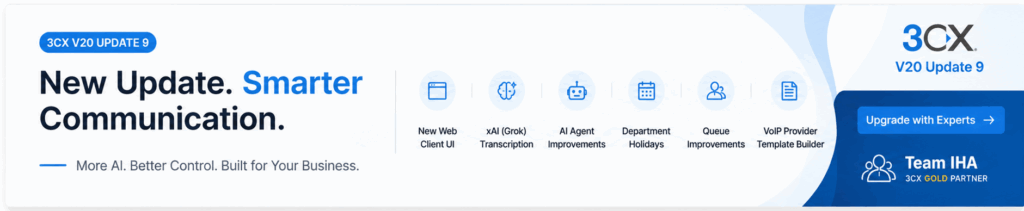
The latest 3CX V20 Update 9 is one of the most significant updates to the platform so far. Rather than focusing on a single feature, this release improves nearly every aspect of the 3CX experience—from a redesigned Web Client and smarter AI capabilities to better queue management, flexible licensing, and easier administration.
Whether you’re an existing 3CX customer, an IT administrator, or a business considering a cloud phone system, Update 9 delivers meaningful improvements that simplify communication, enhance productivity, and prepare organizations for the future of AI-powered business telephony.
What’s New in 3CX V20 Update 9?
Let’s explore the major enhancements introduced in this release.
1. Two New License Sizes
3CX has introduced two additional license sizes, giving businesses greater flexibility when choosing a deployment that matches their communication requirements.
Instead of paying for unnecessary capacity, organizations can now select a license that better aligns with their growth stage and expected call volume. This is especially valuable for:
- Growing businesses
- Mid-sized organizations
- Enterprises planning future expansion
- Service providers managing multiple customer deployments
The new licensing options make it easier to scale without overcommitting resources.
2. A Completely Redesigned Web Client
One of the most noticeable changes in Update 9 is the refreshed 3CX Web Client.
The interface has been redesigned to provide a cleaner, more intuitive experience while improving navigation across the features users rely on every day.
Key improvements include:
- Modern visual design
- Improved Team View
- Enhanced Dialer
- Better Chat experience
- Easier access to Contacts
- Streamlined Call History
- Simplified Voicemail
- Improved Recordings section
- More organized Settings
These changes help reduce clicks, improve usability, and make day-to-day communication faster for employees working from the office or remotely.
3. xAI (Grok) Transcription Integration
Artificial Intelligence continues to become a major part of business communications, and Update 9 introduces support for xAI’s Grok.
Organizations can now leverage Grok for:
- Automatic call transcription
- Conversation summaries
- Sentiment analysis
- Better documentation of customer interactions
For sales and customer support teams, this means less manual note-taking and more time focusing on conversations with customers.
By adding another AI provider alongside existing options, 3CX gives businesses greater flexibility in choosing the AI solution that best fits their needs.
4. Smarter AI Agent Improvements
Beyond transcription, Update 9 also enhances the overall AI Agent experience.
The latest improvements include better:
- Prompt handling
- AI responses
- Workflow automation
- Assistant reliability
- Performance
As AI continues evolving within the 3CX ecosystem, these enhancements help businesses automate repetitive communication tasks while delivering more consistent customer experiences.
5. Department Holidays Made Easy
Managing business holidays has become much simpler.
Administrators can now configure Department Holidays, allowing different departments to follow their own holiday schedules.
For example:
- Sales can remain open.
- Support can operate reduced hours.
- HR can stay closed.
- Regional offices can follow local public holidays.
This gives organizations much greater flexibility without relying on complicated workarounds or custom scripting.
6. Better Queue Management
Call queues are critical for customer support teams, and Update 9 introduces several improvements designed to make queue management more efficient.
Benefits include:
- Better caller experience
- Improved routing
- Enhanced wait-time management
- Greater administrative control
- Enterprise-ready queue handling
These improvements help contact centers deliver faster, more consistent customer service while making queue configuration easier for administrators.
7. VoIP Provider Template Builder
For administrators and service providers, one of the most useful additions is the VoIP Provider Template Builder.
Instead of manually creating custom configurations, administrators can now build provider templates more efficiently.
This feature helps:
- Simplify SIP trunk configuration
- Reduce deployment time
- Standardize customer installations
- Improve scalability for managed service providers
For organizations supporting multiple VoIP providers, this can significantly reduce setup complexity.
Why This Update Matters
While many software updates introduce only minor fixes, 3CX V20 Update 9 focuses on improving the everyday experience for every type of user.
Business users benefit from:
- Faster navigation
- Improved communication tools
- Better AI assistance
- Cleaner interface
Administrators benefit from:
- Easier management
- More flexible licensing
- Improved holiday scheduling
- Better queue controls
- Faster provider configuration
Service providers benefit from:
- Simplified deployments
- Better customer management
- Reduced configuration effort
Overall, Update 9 strengthens 3CX as a modern business communication platform that combines reliability with practical AI-powered enhancements.
Should You Upgrade?
If you’re already using 3CX V20, Update 9 is well worth considering.
The refreshed Web Client alone delivers a noticeably improved user experience, while the AI enhancements and administrative features make the platform even more powerful for growing businesses and enterprise deployments.
Before upgrading, it’s always recommended to:
- Review release notes
- Test in a staging environment (if applicable)
- Verify third-party integrations
- Ensure backups are current
Need Help Upgrading to 3CX V20 Update 9?
Upgrading your business phone system is more than simply installing a software update. Proper planning, configuration, testing, and optimization help ensure you get the maximum value from every new feature.
As a 3CX Gold Partner, Team IHA helps businesses successfully deploy, migrate, upgrade, and optimize their 3CX phone systems. Whether you’re moving from an older version, deploying a new cloud PBX, integrating SIP trunks, or exploring AI-powered features introduced in Update 9, our certified team can guide you through every step.
Our 3CX services include:
- 3CX deployment and implementation
- Version upgrades and migrations
- Cloud hosting and management
- SIP trunk configuration
- Call center setup
- AI feature implementation
- Ongoing technical support and optimization
If you’re planning to upgrade to 3CX V20 Update 9, Team IHA can help you ensure a smooth transition with minimal disruption to your business communications.